 Hero11
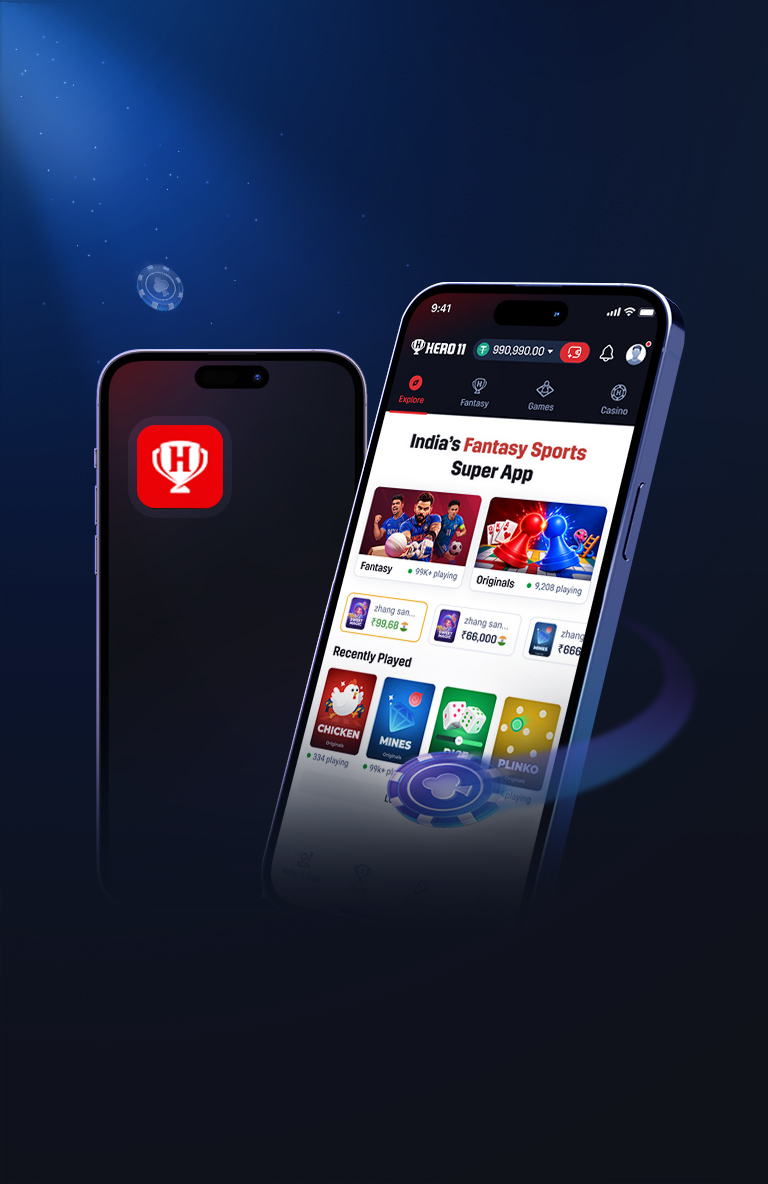
The file this site measured on 22 October 2026 is version name 1.13.f675, version code 497893, 3,288,315 bytes (about 3.1 MB), package com.ofho.fhoy. A later file from the button can be a newer build. If the size or the hash does not match, stop and ask in chat. The ordered first install is on the install page. The hash commands are on the verify page.
The download never finishes
Use this section only when the transfer is still running, stalled, or failed before a full file existed. The progress line sits still, the notification returns an error, or the browser closes and leaves a partial row. You do not have a package yet. Do not tap Install on that row.
Two causes cover this stage. The connection dropped or kept switching, so the save stopped short. Or the phone did not have room to write the file. The measured package is 3,288,315 bytes, about 3.1 MB, and the phone still needs several times that many bytes free so the write can finish. This page will not invent a gigabyte target. Free several times 3,288,315 bytes, then try again.
Pick one stable network. Wi-Fi or mobile data is acceptable if it stays up for the whole run. Leave the screen awake if the phone pauses transfers when it locks. Delete the partial already on the phone so the next attempt is not glued to a broken row. Then tap Download Hero11 for Android on this site and let that single download finish.
Do not resume a half file forwarded in chat. A sender who offers the “rest of the apk” is handing you a forwarded file. Delete it. The retry has to start from this site’s button, not from a chat attachment and not from a link someone pasted beside the button. If the second attempt also stalls, stop and tell chat that the download never finishes, which network you used, and how much free space the phone reported. Do not install anything while that is still the stage you are on.
Parse error, or the app was not installed, because the file is not a package
Use this section when Android has already tried to open the downloaded object and refused it with a parse error, or with a message that the app was not installed, and the object is incomplete or is not a package at all. The installer is telling you it could not read an application. It is not telling you to fetch a different brand of file from search.
Check the byte size of the object you just tried. This measured file is 3,288,315 bytes. Any other count means you do not have this package. A cut-off transfer is a common source. Another is an error page or a document that was saved with an apk name. The filename can look perfect. The length still gives it away. About 3.1 MB on a rounded label is not the test. Get the integer if the phone will show it, or read it on a computer.
Delete the partial. Do not tap Install again on the same object. A second attempt reads the same broken bytes and returns the same refusal. Download again from the button on this site, after the connection and the free space in the previous section are actually in place. When the new copy arrives, compare the size before you install. Only 3,288,315 bytes is this record. If the new copy is also the wrong size, stop and ask in chat. Do not replace it with a file from a conversation.
The install is blocked
Use this section when the file is a real package — the size is 3,288,315 bytes and you are looking at com.ofho.fhoy — but Android still will not install it. The block is permission or policy, not a short file. Three situations land here.
The first is the source. Android installs from an apk only when the app that opens it is allowed to do so. If you downloaded in a browser, that browser needs the permission. If you opened the file in the Files app, that files app needs it. Allow only that source, and only for this install. The Settings label is often “install unknown apps” or “allow from this source,” and the wording changes by phone. Turn it on for the app you actually used, go back, and open the file from that same app. You can turn that one permission off again after Hero11 is installed.
The second is Google Play Protect. Leave it on. Do not disable device protection, and do not switch Play Protect off for the whole phone. If it warns, read the package name and the size. Allow this install only when the package is com.ofho.fhoy and the size is 3,288,315 bytes. If Play Protect names a different package, you are outside this section: deny it, delete the file, and do not look for a switch that hides the warning. If the name and the size match and you allow this one install, that is the whole exception. Protection stays on for everything else.
The third is a work profile. Some phones keep a work profile beside the personal one. An install blocked by the work profile is a management rule. Allowing the personal browser does not override it. Installing into the work profile when you meant the personal one, or the other way around, leaves the icon you use untouched. Do not disable device protection to get past a work policy. Use the personal profile if that is where you install your own apps, or ask the person who manages the work profile. If the only way forward is a global switch, stop. Tell chat that the install is blocked, whether the package name matched, and whether a work profile is on the phone.
An older Hero11 is already on the phone
Use this section when Android refuses the new file because Hero11 is already installed. The message is a conflict: a downgrade, a signature clash, or a plain refusal to replace the existing app. You are no longer dealing with an empty phone.
Open App info for the Hero11 that is already there. Read the version name and the version code on the version row. This measured build is version name 1.13.f675 and version code 497893. Write down the numbers the phone shows. If the installed version code is higher than 497893, this file would be a downgrade, and Android can refuse it. If the signatures do not match, Android can refuse even when the title looks the same. This page does not promise that two different Hero11 packages share a signature. Do not assume a clash is a glitch that a second tap will clear.
Uninstall the existing app only when you accept losing local app data. Uninstall is not a harmless refresh. Anything the old app stored locally goes with it. If you need that data, stop before you remove the app, and tell chat the version name and version code you read. If you do accept the loss, uninstall, then install the measured file again, still only if its size is 3,288,315 bytes and its package is com.ofho.fhoy. Afterward, App info should show 1.13.f675 and 497893 if this file is the one that landed. If Android reports the conflict again, stop. Do not keep cycling uninstall and install with a different apk from chat.
It installed, but it will not open or it shows an error
Use this section only after the install has completed and App info shows version name 1.13.f675 and version code 497893. The icon does nothing, the app closes at once, or it opens and says something went wrong. The package on this record is a shell. It needs a clear network path to the fantasy host. It loads https://hero11-in.hero11apex.com/fantasy and then the English page. An error screen at this stage is a failure to reach those pages. It is not a damaged install of a file that already matched.
Try another network. If you are on Wi-Fi, try mobile data. If you are on mobile data, try a Wi-Fi network that can actually open ordinary pages. Leave VPN switches and private DNS experiments out of the test: change one thing, open Hero11 again, and see whether the page loads. A phone that can load the English page in the browser and still fails inside the app should be reported in chat with both facts. Do not “repair” it by installing a fix APK from a search result. Do not replace a matching version code because the first screen was an error. The bytes are not the fault once the record matches and the screen is a network failure.
If the English page is already open in the browser, you can keep using that while the phone’s path to the host is sorted out. The shell will not reach the host any faster because you installed a second, unchecked file.
The icon is there, but App info shows an older version code
Use this section when a Hero11 icon is on the home screen and App info still shows an older version code than 497893. The new file did not replace the old one. You are still on the previous install. The icon cannot tell you otherwise. Home-screen art often stays put while the old package keeps running behind it.
Read the version row again in the profile you are actually using. A work profile and a personal profile can each have their own install. The icon you tap might belong to the profile whose version code never changed. The file sitting in Downloads is not the running app, even when its size is 3,288,315 bytes. Until App info shows 1.13.f675 and 497893, the measured build is not the one opening.
Look back at what Android said when you tapped Install. If it reported that the app was not installed, or it returned you to the home screen with no success line, the old version code is the expected result, not a delay. Do not keep launching the icon and calling that an update. Do not download a further file from search to “force” the number to change. Note the version name and version code you see, note that the new file did not replace the old one, and take those facts to chat if the conflict section above does not already describe your case. Opening the old icon will keep opening the previous install until a replacement actually completes.